


4 in 1 Flash Drive | Data Essential
Regular price
Rs. 1,899.00
Rs. 1,599.00
16% OFF

93.8% of customers choose 256GB (enough storage space, cost-effective)
What files can I transfer?
The Spectics Stick supports all common image, video, and audio files. This includes stored pictures & videos from your camera roll, and music & voice recordings from your phone!


Make space on your phone, effortlessly.

Seamless Data Transfer
Copy your files via our proprietary app and they'll show up on the drive - so you have a totally secure back-up of all the important moments.

Product information
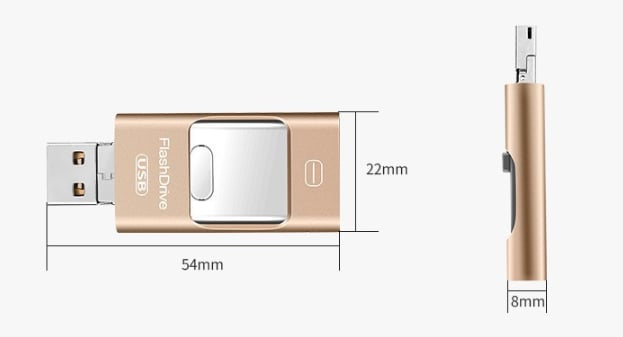
- Weight:15g
- Maximum performance: Lightning: 20MB/s USB 3.0: 50MB/s
- Operating voltage: Lightning: 3.3V ± 5% USB 3.0: 5V ± 5%
- Maximum performance: 0°C (32°F) ~ 70°C (158°F)
- Connector: Lightning&USB 3.0&Mirco
- File Format: FAT32/exFAT
- Certification: CE FCC
- Shelf life: 1 year
- Supported devices: Mac , Windows , Android , iphones , ipad
FAQ
Will this work with my device?
Absolutely! The Spectics Stick is compatible with all iOS, Android, and PC computers/laptops. If your device has a lightning port or USB port, it will work just fine!
It includes the following port connections:
- Lightning (Apple)
- Micro USB (Android)
- USB C (Android + Laptops/PC)
- USB A (Laptops/PC)
1. Use on iPhone and iPad (lighting interface)
(1)Download Y-DISK APP according to the instructions

(2)Insert Flash Drive

3. Open the APP to start transferring files

2.For Android,Insert our products directly, and then go to file management to start transferring files

3. USE ON NEW iPad ,with the USB-C connector
(1)Using USB-C adapter, insert your new ipad

(2)Find the folder and enter the folder

(3)Find our USB device and start to back up files

people are currently looking at this product
Estimated delivery time 3-5 days
Guaranteed Safe Checkout
